Exodus Wallet tax reporting in 2026: export, reconcile and file
Exodus is self-custody software, so a wallet balance is not a tax form and a CSV export is not a finished tax report. The final IRS broker rules expressly say that a person providing only hardware or software that lets users control private keys is not a digital-asset middleman. Services reached through the wallet may have separate providers and reporting duties. Users still must reconstruct taxable swaps, spending, rewards and fees across every address and exchange, even when no Form 1099-DA arrives.
Does Exodus itself report your wallet to the IRS?
Prepare Your Crypto Tax Workpapers
Import your transactions, review the results and generate detailed tax workpapers without building the entire calculation manually in spreadsheets.
Start for free →Do not answer this with an unqualified “never.” The tax rule depends on the service. The final 2026 Form 1099-DA instructions exclude a person that only supplies hardware or software enabling users to control private keys and provides no other functions. That describes the core self-custody wallet function.
However, swaps, staking interfaces, fiat purchases and other services accessible through a wallet can involve third-party providers. A provider that effects a customer sale as a broker can have its own Form 1099-DA or other reporting obligation. Check the confirmation and legal counterparty for each service rather than assuming every transaction was performed by Exodus.
Whether a form is issued does not determine the taxpayer's duty. The IRS requires all taxable digital-asset income, gain and loss to be reported regardless of amount or information return.
How to export Exodus transaction history
Exodus documents CSV exports for Desktop and Web3 Wallet. Mobile users may need to sync with Desktop to export the complete wallet history. The exported timestamps are in UTC, created from the device time at export. Preserve the original file before editing it.
- Select the relevant portfolio and all assets.
- Export the full history, not only swaps or sends.
- Record the Exodus version, device and export time.
- List every public address and supported network.
- Download exchange and fiat-provider statements separately.
- Compare ending units with on-chain balances.
A CSV may contain sent, received, swap, NFT and other events, but a label is not a tax conclusion. The export can omit or abbreviate activity for lightly supported networks. Exodus says some such networks show only sends or only recent transactions; blockchain explorers may be needed for a full history.
Which Exodus activities can be taxable?
| Wallet activity | US tax starting point | Required data |
|---|---|---|
| Swap token A for token B | Disposition of A; new basis in B | Both assets, units, USD value, time and fees |
| Spend crypto | Disposition plus purchase/payment | Fair market value and adjusted basis |
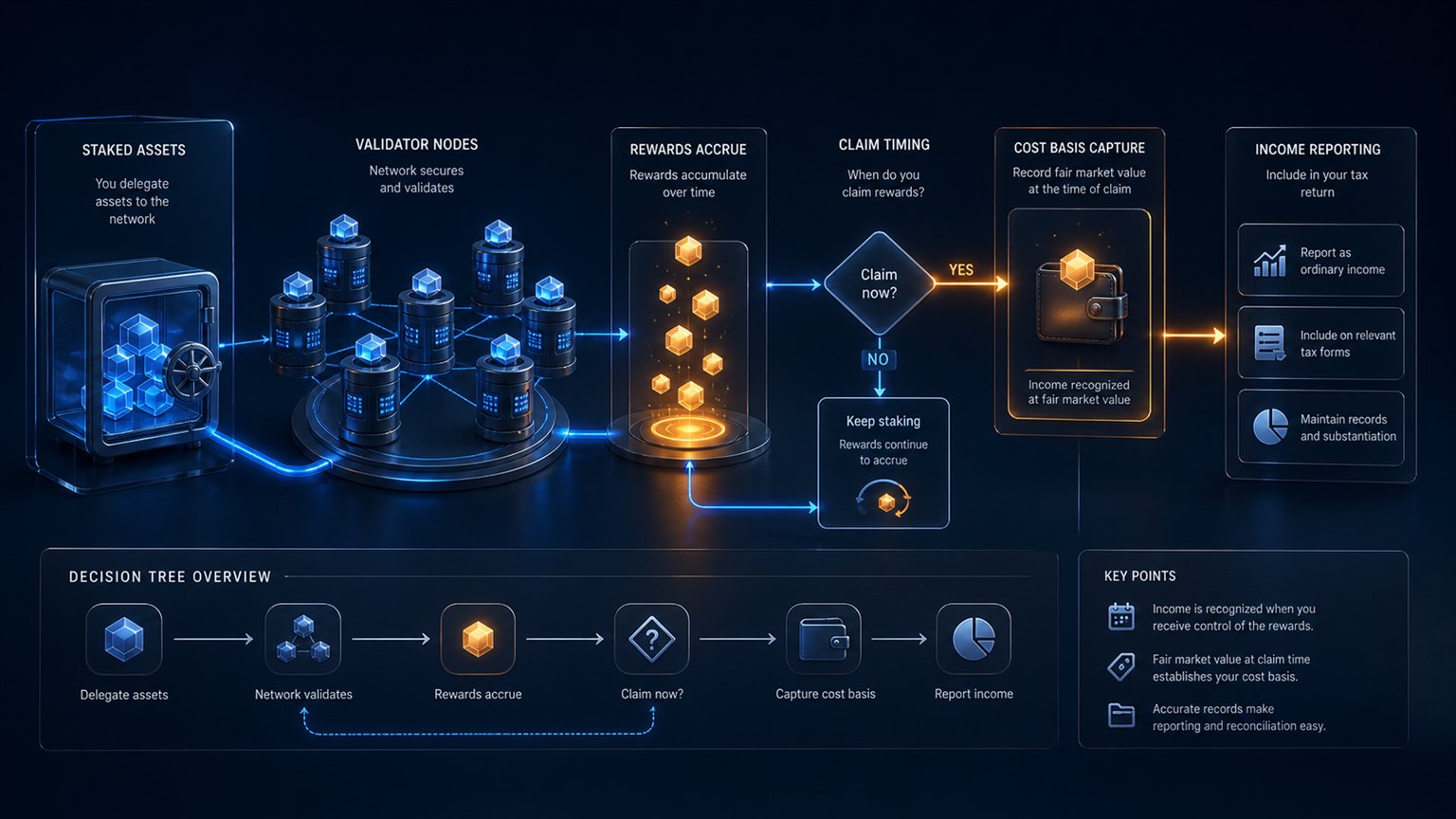
| Receive staking reward | Potential ordinary income when dominion and control exists | Availability time, units and USD value |
| Receive payment for services | Ordinary or business income | Payer, purpose and USD value |
| Sell through a third-party provider | Capital or business disposition | Provider statement and wallet transaction |
| Hold or observe price movement | No event solely from holding | Balance evidence |
A swap routed through several on-chain steps should be represented once as the user's economic disposal and acquisition, while fees and intermediary movements remain linked. Importing both the Exodus summary and every raw route step as independent trades can duplicate proceeds.
Staking rewards need protocol-specific control analysis. A displayed estimated reward is not necessarily received income; a claimable or automatically credited reward can differ. Preserve validator, epoch, claim and wallet evidence.
Transfers between your own wallets are not sales
Moving crypto from Exodus to another wallet or exchange you own generally does not dispose of the asset. Acquisition date and adjusted basis must follow it. The problem is technical: if only one side is imported, software sees a withdrawal with no matching deposit.
Match own transfers using transaction hash, chain, asset, sent and received quantities, network fee, addresses and time. The received quantity can be lower because the network fee was paid from the transferred asset. Do not manufacture a taxable sale for the principal amount.
The crypto used to pay a transaction fee may itself be disposed of. Keep the fee units separate from the principal transfer. Gas paid in another token, such as ETH for an ERC-20 transfer, needs that token's own basis.
A bridge or wrapper can issue a different token or claim. Common ownership of the addresses does not automatically prove the protocol step is a non-taxable transfer.
Why an Exodus CSV can be incomplete
Exodus warns that networks with light support may export only sends and that local history can be lost when the wallet is deleted or restored. Web3 Wallet exports cover supported networks. A correct report therefore compares at least three sources:
- Exodus CSV and portfolio history;
- public-address history from the relevant block explorer;
- exchange, swap-provider, staking and fiat-provider records.
If a received asset has no acquisition source, search prior addresses, centralised exchanges, bank records and transaction hashes. Do not assign zero basis silently. Mark the affected quantity not computable while completing positions with verified history.
Never share a seed phrase or private key with tax software, an adviser or support. Public addresses, view-only access and signed evidence are sufficient for history reconstruction. Exodus's “Safe Report” is a support diagnostic, not the tax-history export.
Form 1099-DA and self-custody transfers
A US broker can issue Form 1099-DA for a sale reached through the wallet. Broker basis reporting for sales after 2025 applies to covered assets acquired and continuously held in that broker's custodial account. Assets transferred in from Exodus can be noncovered or have basis unavailable to the broker.
Match the form to the transaction rather than adding it as a second sale. Broker gross proceeds, wallet outflow and provider confirmation can describe the same economic event. If the form shows no basis, reconstruct basis from the wallet's original acquisition and report the taxpayer's supported adjustment under the form instructions.
Exodus-to-tax-return workflow
- Export all Exodus portfolios and networks.
- List every public address and compare blockchain balances.
- Import third-party swap, fiat and staking provider statements.
- Deduplicate summary rows and raw on-chain route steps.
- Match own-wallet transfers and carry basis.
- Classify swaps, spending, rewards, services and gifts.
- Value events in USD and separate network fees.
- Apply documented tax-lot identification.
- Reconcile any Form 1099-DA without duplicating proceeds.
- Prepare Form 8949, Schedule D and ordinary-income schedules.
- Keep unresolved basis in review.
The IRS reporting guide maps events to forms. Use the record-keeping checklist, capital-gains guide and staking guide for the underlying calculations.
Frequently asked questions
Does an Exodus balance create tax?
No. Holding alone is not a taxable event; sales, swaps, spending and income receipts can be.
Does Exodus Desktop export every blockchain event?
Not necessarily. Exodus documents limitations for lightly supported networks, so compare public-address history.
Is an Exodus swap taxable?
Generally yes for a US investor: the token surrendered is disposed of and the received token obtains a new basis.
Is sending from Exodus to my exchange taxable?
The principal transfer generally is not if you own both accounts, but preserve basis and account separately for the fee.
Should I import both CSV and Form 1099-DA?
Reconcile them, but do not create duplicate sales. The form and CSV can describe the same disposition.
Primary sources
- Exodus: export transaction history and network limitations
- IRS: digital assets and wallet transfers
- IRS: digital-asset transaction FAQ
- IRS: final 2026 Form 1099-DA instructions
Primary-source review completed 1 September 2026. Third-party services available through a wallet can change and must be identified from the transaction confirmation.
Related Resources
Generate Your Crypto Tax Report
Import your transactions, review the results and generate a detailed PDF report with a transaction-level audit trail.
Start for free →Disclaimer: This article is for general informational purposes only and does not constitute tax advice. For individual tax advice, consult a licensed tax professional.