TurboTax Crypto 2026: Reconcile Before You Import
TurboTax can file crypto results, but an import does not reconstruct missing basis or interpret every DeFi contract. For 2025 returns filed in 2026, Form 1099-DA and the new digital-asset categories on Form 8949 make reconciliation more important: taxpayers must report taxable activity even when no form arrives, and most 2025 broker statements do not contain basis.
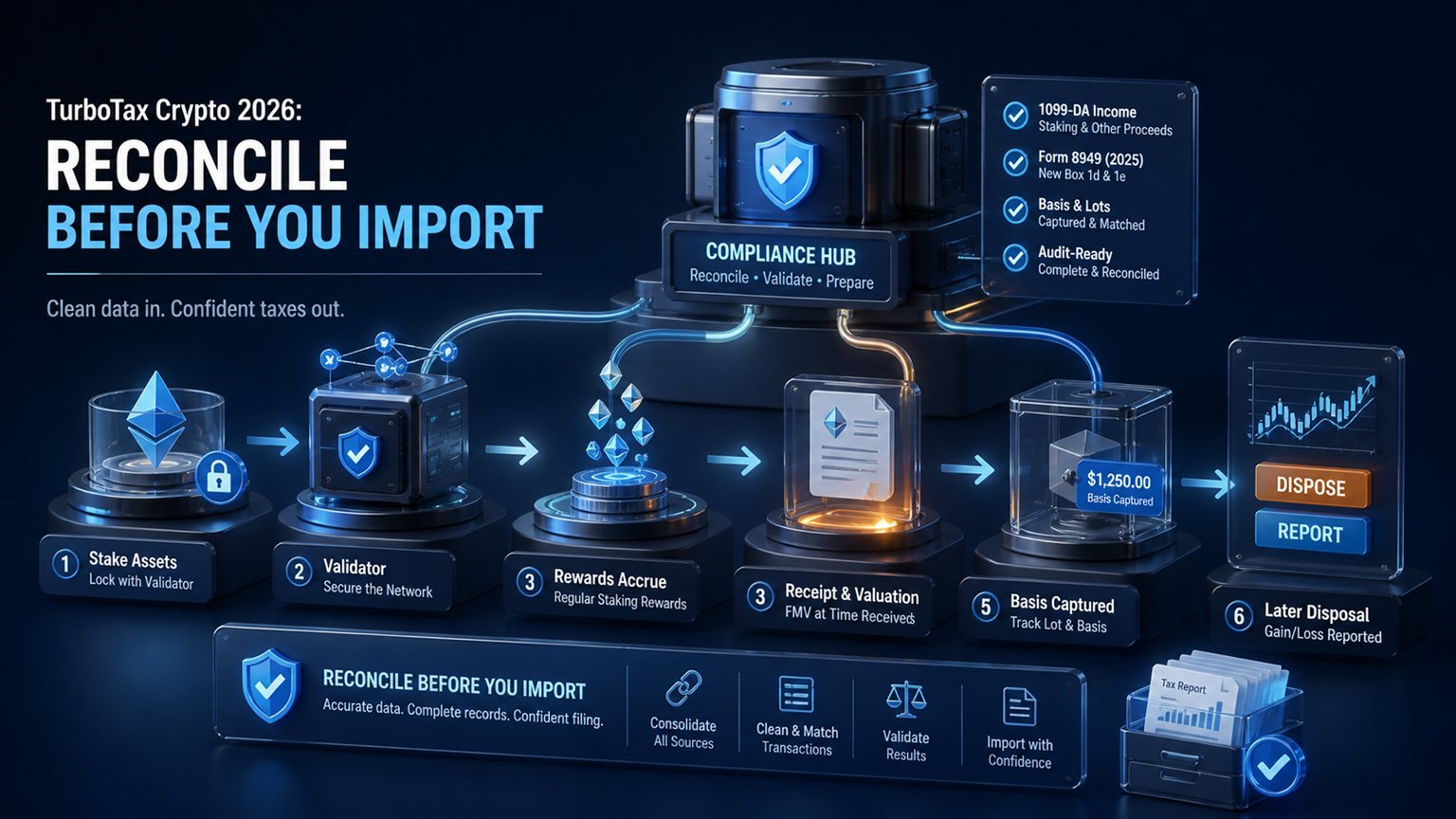
TurboTax is the filing layer, not the source ledger
Prepare Your Crypto Tax Workpapers
Import your transactions, review the results and generate detailed tax workpapers without building the entire calculation manually in spreadsheets.
Start for free →TurboTax states that its online software can import information from participating crypto brokers, wallets and platforms. Availability depends on the product, source and tax year. A direct connection does not prove that every wallet, transfer, fee or protocol interaction has been included.
The original article claimed fixed plan names, prices, transaction limits, Coinbase Pro support and universal TXF behavior. Those details change and should be checked in the current product before filing. TurboTax’s current help distinguishes Online from Desktop: direct import from a crypto source is recommended online but is not available in TurboTax Desktop.
| Layer | Job | Common gap |
|---|---|---|
| Exchange or broker | orders, fills, statements and Form 1099-DA | basis from other wallets |
| Wallet and blockchain | transfers and contract activity | tax characterization |
| Crypto tax ledger | basis, holding period, income and reconciliation | requires complete inputs |
| TurboTax | return interview and IRS forms | does not replace source reconciliation |
What changed for 2025 returns filed in 2026
U.S. brokers generally began reporting 2025 digital-asset proceeds on Form 1099-DA. The IRS explains that most 2025 statements do not include cost basis, so the taxpayer still has to calculate basis and gain or loss. Receiving no Form 1099-DA does not remove the duty to report taxable transactions.
The 2025 Form 8949 instructions created dedicated digital-asset categories. Short-term transactions use boxes G, H or I, and long-term transactions use J, K or L. The selection depends on whether Form 1099-DA was received and whether basis was reported to the IRS.
| Short / Long | Meaning | Typical condition |
|---|---|---|
| G / J | 1099-DA with basis reported to IRS | use broker basis, then record any permitted adjustment |
| H / K | 1099-DA without IRS-reported basis | taxpayer supplies supported basis |
| I / L | no Form 1099-DA | taxpayer reports the disposition from records |
If all basis was reported and no correction or adjustment is needed, the Form 8949 instructions provide an exception that may allow totals to go directly to Schedule D. Do not force every transaction onto Form 8949 without checking the official conditions. See the detailed Form 8949 crypto instructions.
Reconcile 1099-DA before creating an import file
Compare the broker’s proceeds, basis-reporting status and transaction categories to the complete source ledger. A transfer into the broker can carry basis from another wallet that the broker did not know. Conversely, uploading both direct broker data and a consolidated tax CSV can duplicate the same sale.
- Collect every Form 1099-DA and substitute statement.
- Import all exchanges, wallets and opening balances into one reviewed ledger.
- Match transfers so they do not become sales or new income.
- Reconstruct basis wallet by wallet or account by account.
- Match each reported broker sale to the source disposition.
- Compare proceeds and basis flags to Form 1099-DA.
- Assign G/H/I or J/K/L based on actual reporting.
- Document corrections and adjustment codes.
IRS rules effective for acquisitions and dispositions on or after January 1, 2025 use wallet- or account-based identification. Rev. Proc. 2024-28 provided a transition safe harbor for previously unattached basis. A universal basis calculation across every wallet can therefore be wrong for 2025. The guide to missing or incorrect Form 1099-DA data covers corrections.
Choose one controlled TurboTax import path
TurboTax Online’s current help directs users to Federal, Income, Investments and Savings, then the stocks/cryptocurrency/1099-B/1099-DA interview. A participating source may connect directly. A prepared file can be uploaded when its format is supported. Desktop follows a different workflow and does not offer the same direct crypto-source import.
- Direct source: convenient, but verify supported years and included accounts.
- Broker CSV: may omit external basis and DeFi activity.
- Consolidated crypto-tax CSV: should contain final dispositions only and correct 8949 categories.
- Form 8949 attachment: use the current IRS/TurboTax workflow and retain the detailed statement.
- Desktop conversion: follow current TurboTax help; do not assume an Online CSV works in Desktop.
After importing, compare counts and totals. The import is not complete merely because TurboTax accepted the file. Review short-term proceeds, long-term proceeds, basis, adjustments and gain/loss against the approved ledger.
Staking, mining, rewards and DeFi do not all belong on Form 8949
Form 8949 reports sales and exchanges of capital assets. It does not replace ordinary-income reporting. The IRS treats convertible virtual currency as property, and Revenue Ruling 2023-14 includes staking rewards in gross income when the cash-method taxpayer gains dominion and control. A later sale is a separate disposition using the income value as basis.
Business mining, compensation for services and other self-employment activity may require Schedule C and Schedule SE. Nonbusiness income can flow through other parts of the return depending on the facts. Do not rely on an old menu label such as “miscellaneous income” without confirming the current interview and legal category.
DeFi deposits, receipt tokens, liquidity pools, wrapped assets and liquidations require transaction-level analysis. Neither TurboTax nor a CSV format can determine from a token symbol alone whether a transfer is a taxable exchange. Review the U.S. DeFi tax guide and the staking tax guide.
Derivatives need contract classification before export
Crypto futures and perpetuals should not be inserted into Form 8949 merely because the broker did not issue a 1099-DA. The legal contract, venue and tax status determine whether a result belongs on Form 8949/Schedule D, Form 6781 under section 1256, or another part of the return. Offshore perpetual contracts are not automatically section 1256 contracts.
Use actual realized close P&L, settlement and funding data. Open-long events and position snapshots are operational information, not separate realized profits. If the contract status is unverified, keep the amounts in a clearly marked review worksheet rather than silently excluding them or assigning a definitive form.
Final review inside TurboTax
- digital-asset question answered from the IRS instructions;
- every 1099-DA reconciled to proceeds on the return;
- G/H/I and J/K/L categories match basis reporting;
- no duplicate direct and CSV imports;
- short-term and long-term totals match the ledger;
- ordinary income is not hidden in capital-gain rows;
- derivatives remain separate until classified;
- supporting statements and source exports are retained.
Save the final TurboTax forms, the accepted import, the detailed calculation and all source statements together. A file that imports successfully can still contain missing basis, duplicate sales or the wrong tax category.
Frequently asked questions
Does TurboTax calculate missing crypto basis automatically?
Not reliably from a proceeds-only Form 1099-DA. You must supply and support basis from the complete wallet and account history.
Which Form 8949 boxes apply to digital assets?
For 2025, use G/H/I for short-term and J/K/L for long-term, based on Form 1099-DA and basis-reporting status.
Can I import the exchange and a consolidated CSV?
Only if you prove the datasets do not overlap. Otherwise the same dispositions can be reported twice.
Does every staking reward go on Form 8949?
No. Receipt can create ordinary income; Form 8949 generally addresses a later capital-asset disposition.
Are crypto perpetuals automatically reported on Form 8949?
No. Contract and venue classification must be established before selecting Form 8949, Form 6781 or another treatment.
Primary sources
- TurboTax: current crypto entry and import workflow
- IRS: 2025 Instructions for Form 8949
- IRS Tax Tip 2026-07: Form 1099-DA and missing basis
- IRS Rev. Proc. 2024-28: wallet/account basis transition
- IRS Rev. Rul. 2023-14: staking rewards
Product and official-source review: September 2, 2026, for 2025 federal returns filed in 2026. TurboTax screens, supported sources and product packaging can change.
Related Resources
Generate Your Crypto Tax Report
Import your transactions, review the results and generate a detailed PDF report with a transaction-level audit trail.
Start for free →Disclaimer: This article is for general informational purposes only and does not constitute tax advice. For individual tax advice, consult a licensed tax professional.